Movaci
  • 0 Shopping Cart
  • Home
  • Store
    • Browse All
    • Movaci Secure Web Hosting
    • Movaci Secure Email
    • Movaci Exchange Services
    • Movaci SSL Certificates
    • Movaci NextCloud
    • Register a New Domain
    • Transfer Domains to Us
  • Announcements
  • Knowledgebase
  • Network Status
  • Affiliates
  • Contact Us
  • Policies
    • Acceptable Use Policy
    • Terms of Service
    • Privacy Policy
    • Service Level Agreement
  • More
  • Account
    • Login
    • Forgot Password?
  1. Portal Home
  2. Knowledgebase
  3. Secure Hosting
  4. Plesk
  5. Plesk - How to change PHP Version

  Categories

3rd Party Application Troubleshooting
2
Connect VoIP
2
Domain Registration, Migration, and Transfer
3
MAC OS
2
Microsoft
11
Mobile Device Management Service
2
MSP Platform
3
my.Movaci
10
NextCloud
12
Password Management and Sharing
2
ProNet, SmartNet, MetroNet
2
Remote Desktop Services
4
Remote Support Assistance
1
SafeNet VPN
5
Secure E-mail
40
Secure Hosting
32
Security Advisory
2
Ubiquiti Devices
2
VPS Service
1
Windows Settings and Troubleshooting Tools
9

  Categories

  Tag Cloud

my.Movaci NVR Secure Email

  Support

My Support Tickets
Announcements
Knowledgebase
Downloads
Network Status
Open Ticket

Plesk - How to change PHP Version Print

  • 396

 The below guide is the step to update your PHP version setting.

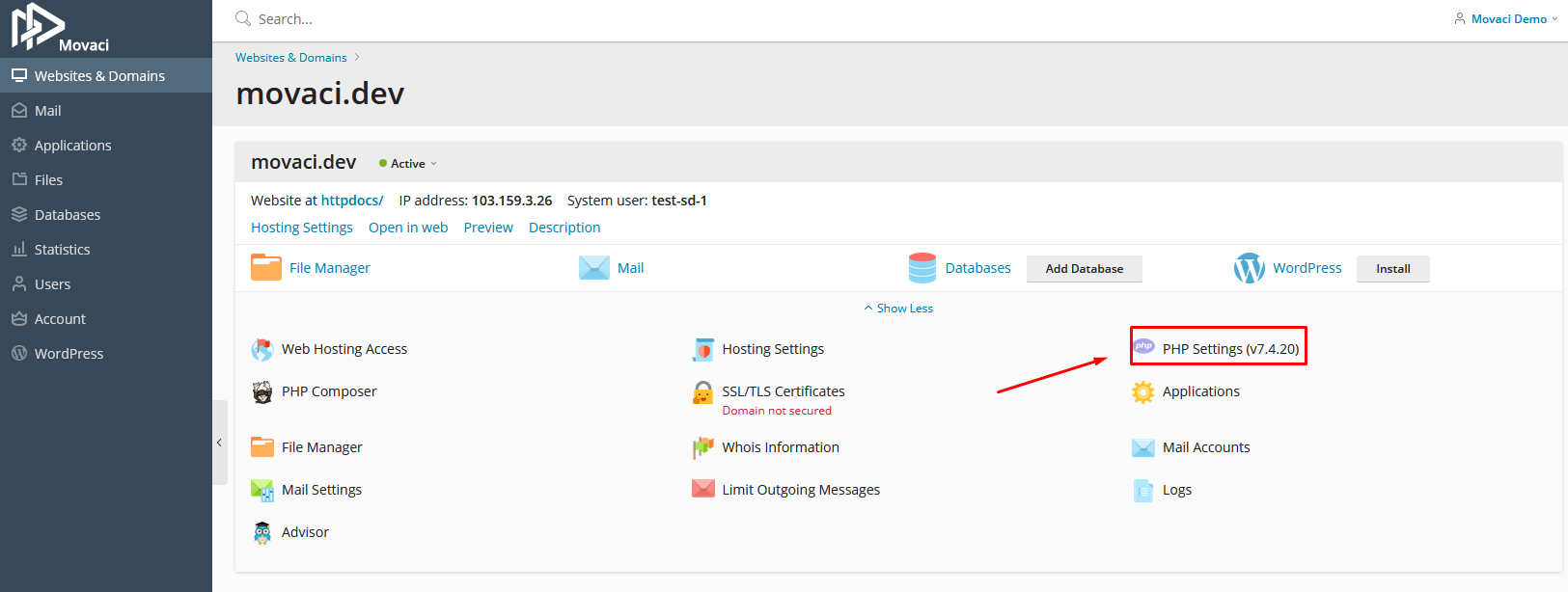
  1. Login to the Plesk control panel and click on the domain name to change the PHP version.
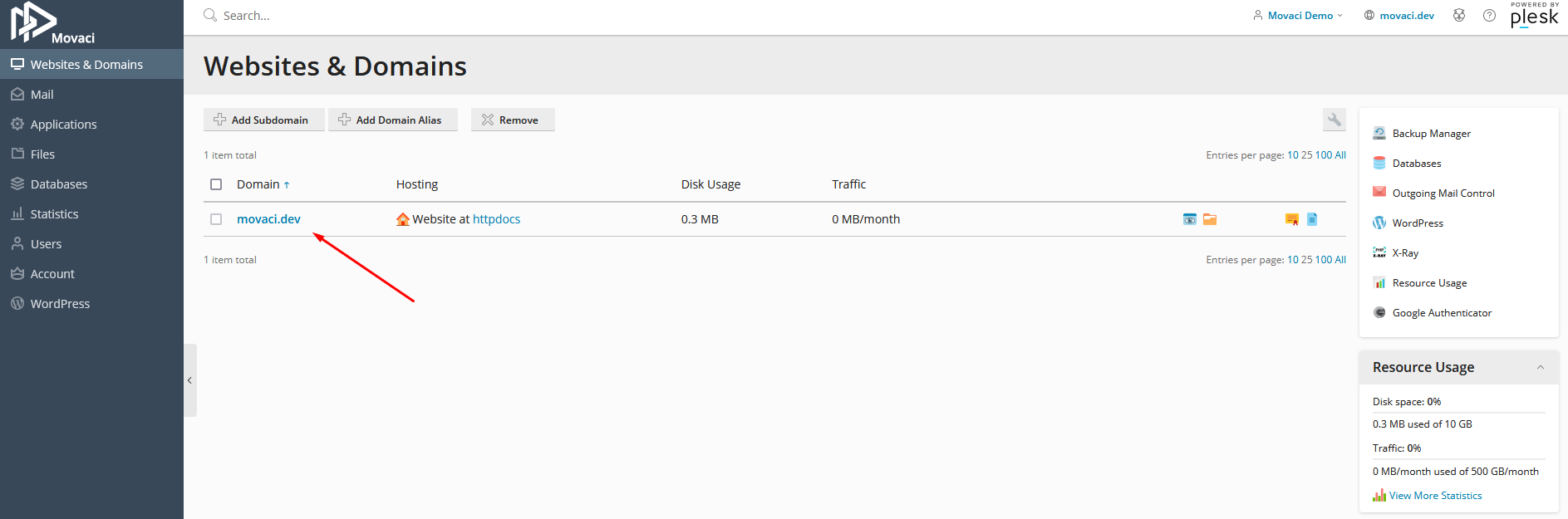
  1. Click on PHP Settings


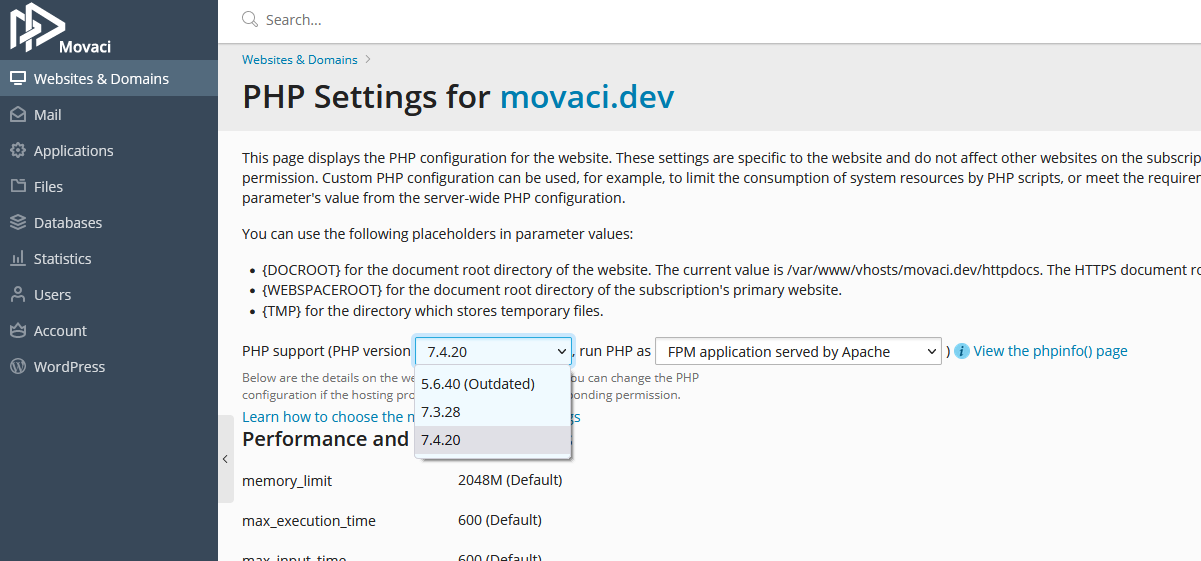
  1. Click on PHP Support Drop Down Box and choose PHP version that you need to use.
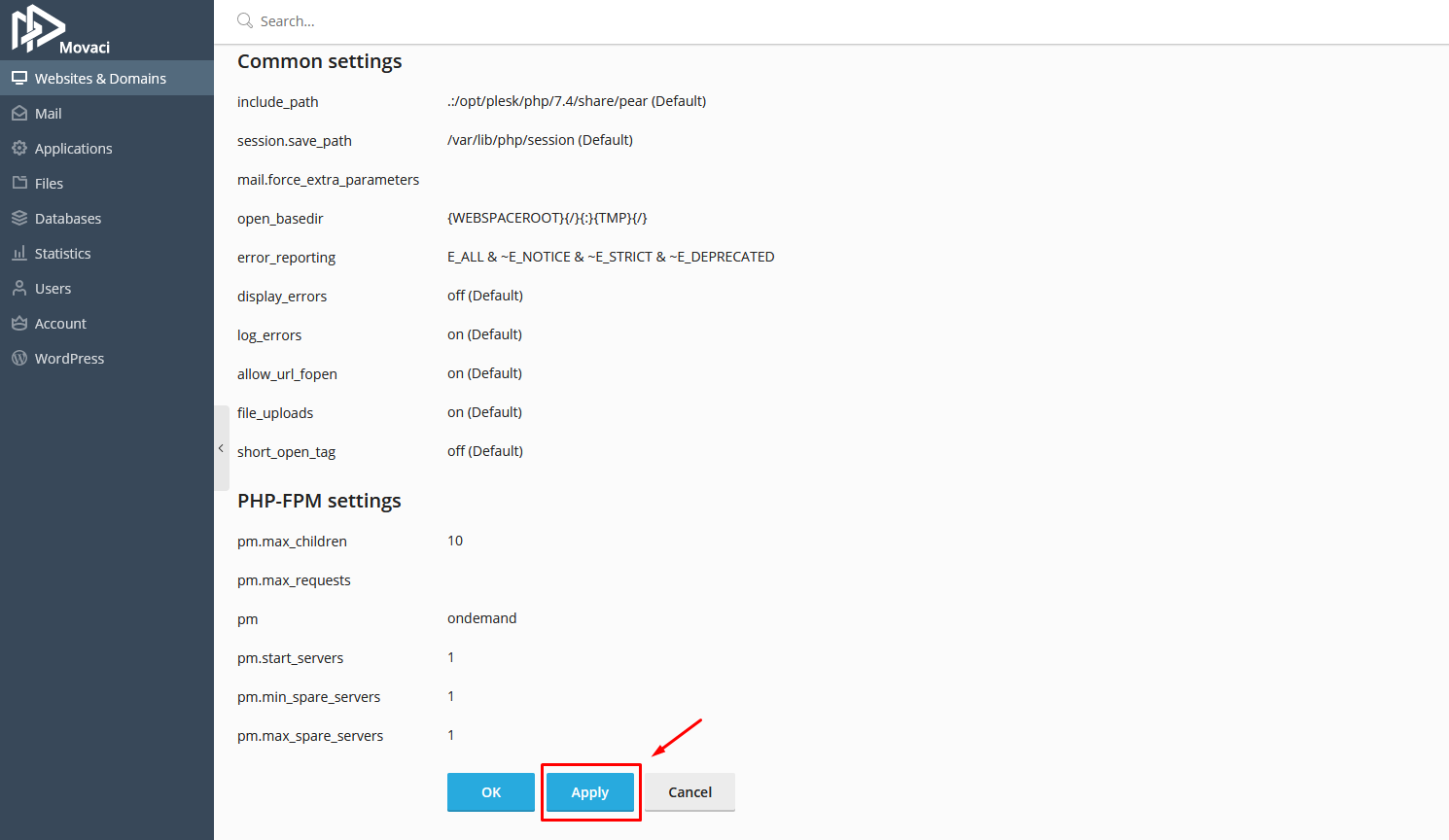
  1. Scroll down and click on Apply button.

Was this answer helpful?

Related Articles

Plesk - E-mail Address Management To add an e-mail address, we suggest creating a new user:1. Select the "Users" Tab.2. Select... Plesk - Manual install WordPress on Secure Hosting Famous 5-Minute Installation Here's the quick version of the instructions for those who are... Plesk - Automated Installation WordPress on Secure Hosting Automated Installation   Although WordPress is very easy to install, you can use one of the... Plesk - Create a Mail Account Create a Mail Account If you want to allow other users to access Plesk in order to manage... Plesk - Changing Password for a Mail Account Changing Password for a Mail Account How to change mail account password Go to the Mail...
« Back

  Tag Cloud

my.Movaci NVR Secure Email

  Support

My Support Tickets
Announcements
Knowledgebase
Downloads
Network Status
Open Ticket
  • Contact Us
  • Terms of Service

Copyright © 2026 Movaci. All Rights Reserved.


Loading...
Loading...

Choose Currency

฿ THB
$ USD
$ AUD

Generate Password

Please enter a number between 8 and 64 for the password length