
Security Advisory - Awareness of Device Code Phishing Attacks Targeting Microsoft 365 Users
Overview
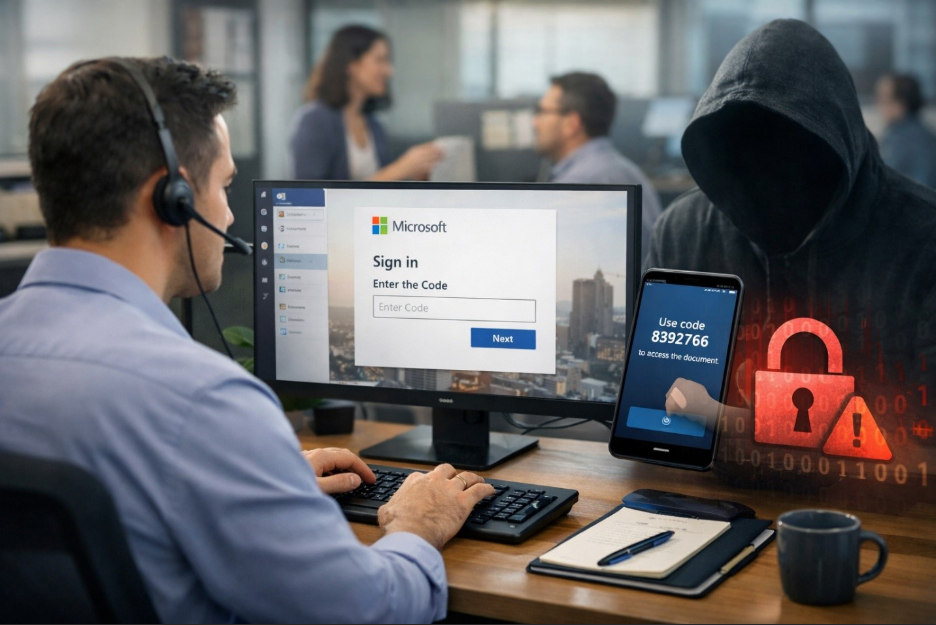
Movaci would like to inform our valued customers of an emerging phishing technique known as Device Code Phishing, which is increasingly being used to compromise Microsoft 365 accounts.
This attack method is particularly concerning because it leverages legitimate Microsoft authentication mechanisms, allowing attackers to bypass traditional security controls - including Multi-Factor Authentication (MFA) - by manipulating user behavior.
Understanding Device Code Authentication
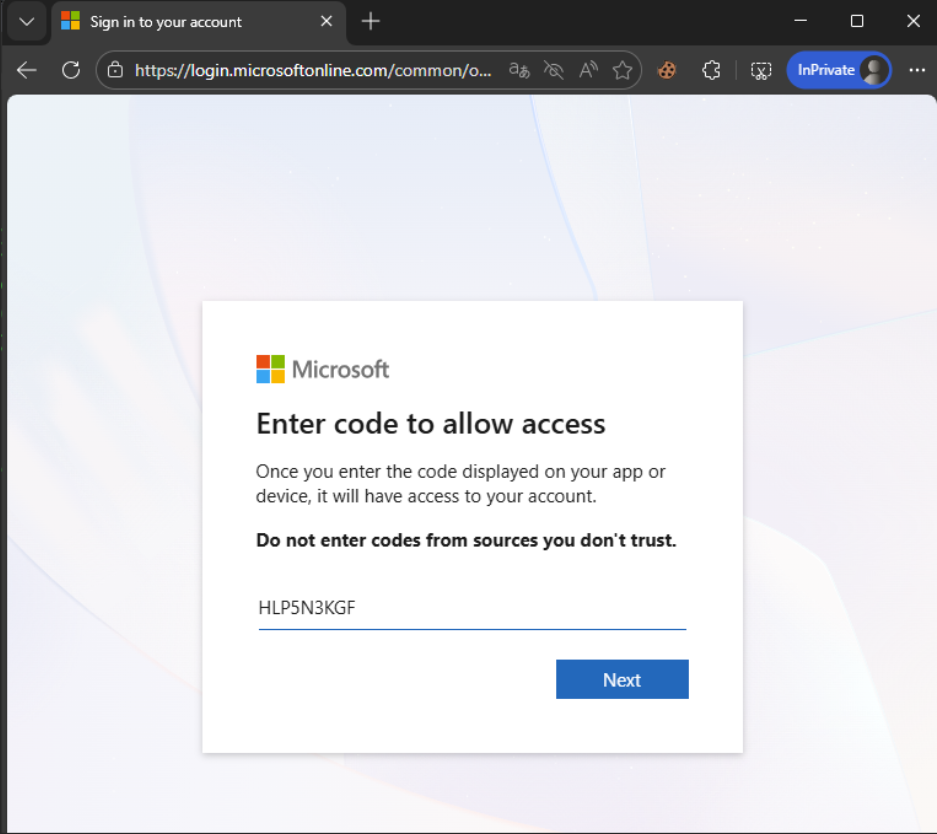
Device code authentication is a valid Microsoft login method designed for specific and limited use cases, such as:
- Signing into hardware or shared devices (e.g., meeting room systems, smart displays)
- Authenticating via command-line tools or devices with limited input capabilities
- Certain specialized enterprise applications or integrations
However, it is important to emphasize:
Device code authentication is NOT part of normal day-to-day access to Microsoft 365 services.
When users access services such as:
- Outlook
- Microsoft Teams
- SharePoint
- Office applications
via corporate laptops, desktops, or mobile devices, they will not be required to enter a device code.
How Device Code Phishing Works
In a typical attack scenario:
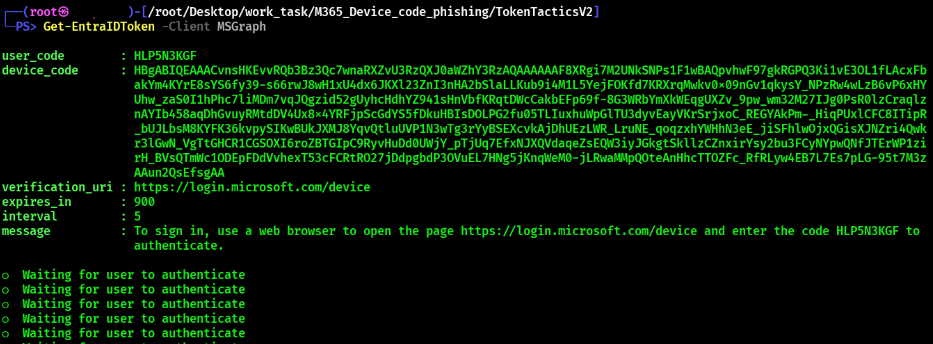
1. An attacker generates a legitimate Microsoft device login code
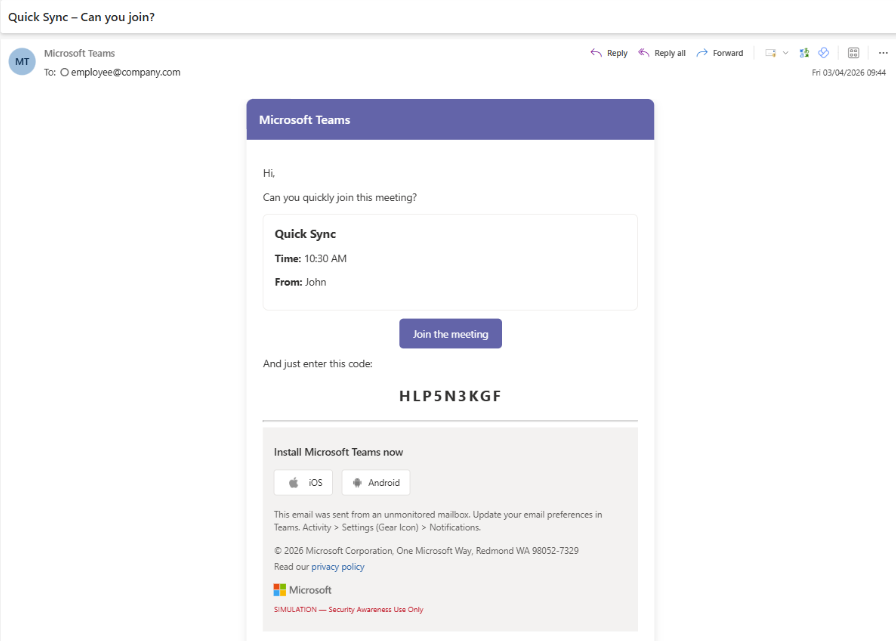
2. The attacker sends the code to a target user via email, messaging platforms, or social engineering channels
3. The user is instructed to visit a Microsoft login page and enter the code
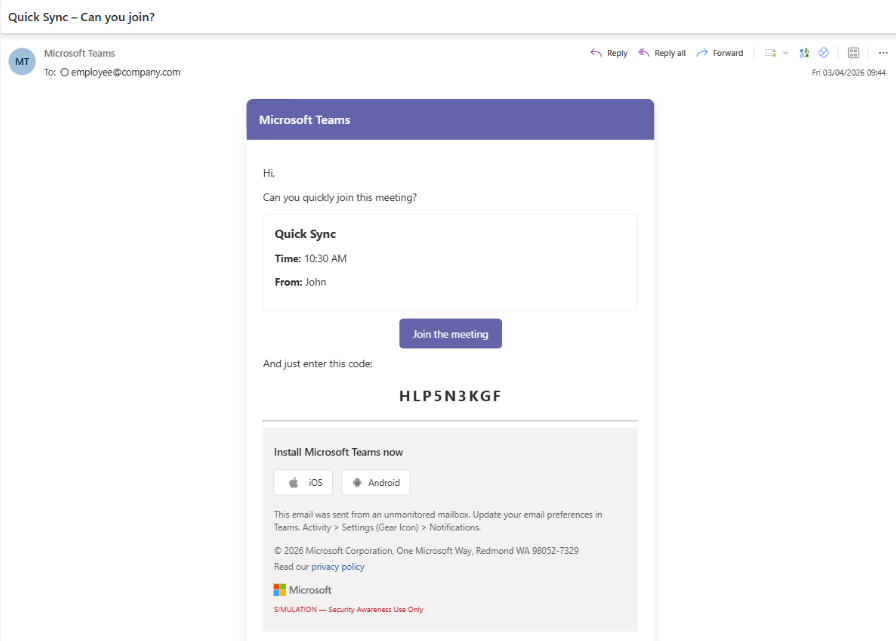
Because the login page is genuine, the process appears legitimate.
However:
By completing this action, the user unknowingly authorizes the attacker to access their Microsoft 365 account.
Why This Attack Is Effective
- Utilizes trusted Microsoft authentication workflows
- Does not rely on fake or malicious websites
- Exploits user trust and urgency-based social engineering
- Can successfully bypass MFA protections, as authentication is completed by the legitimate user
Key Indicators of Suspicious Activity
Customers are advised to remain vigilant for the following:
- Requests to enter a device code without initiating a login
- Unexpected authentication requests unrelated to current activity
- Messages urging immediate action or urgency
- Requests received via unofficial communication channels (e.g., WhatsApp, SMS, personal messaging apps)
- Instructions to approve or assist with another user’s login
Recommended Actions
If You Receive a Suspicious Request
- Do not enter any device code
- Do not proceed with authentication
- Do not approve access requests
Please verify the request through trusted communication channels or contact your internal IT team or Movaci support.
“If a Device Code Has Already Been Entered”
Immediate action is required:
- Report the incident to your IT team or Movaci support
- Change your Microsoft 365 password immediately
- Revoke active sessions (if applicable)
- Follow incident response guidance provided by your security team
Incident Reporting
To support effective investigation and response, please include:
- Screenshot or copy of the message received
- Sender details (email address, phone number, or username)
- Date and time of the incident
- Description of any actions taken
Key Security Reminder
“Users should never complete a login or authentication request that they did not initiate“
Conclusion
Device code phishing represents a shift toward more sophisticated, behavior-based attack techniques. As these attacks rely heavily on user interaction, awareness and vigilance remain critical components of defense.
Movaci strongly recommends that all users remain cautious of any unexpected authentication requests and report suspicious activity immediately.
For further assistance or to report an incident, please contact Movaci Support.
